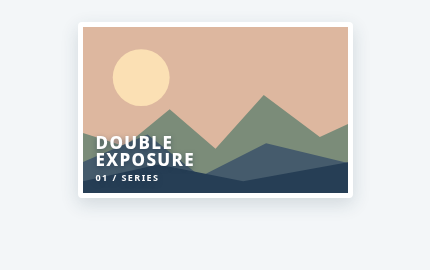
Duplex Exposure Portrait
Two color-treated landscape layers shift together to create a double-exposure portrait effect.
Two color-treated landscape layers shift together to create a double-exposure portrait effect.
Live Demo
Hover over the element or use Tab to focus.
Source Code
Copy the HTML, CSS or JavaScript you need for your project.
<a class="tbx-1186" href="#series" aria-label="View double-exposure photograph series"><span class="tbx-1186__base"><svg viewBox="0 0 360 210" preserveAspectRatio="xMidYMid slice" aria-hidden="true" xmlns="http://www.w3.org/2000/svg"><rect width="360" height="210" fill="#ddb79f"/><circle cx="86" cy="64" r="36" fill="#fbe0b4"/><path d="M0 130 65 151 122 104 180 154 241 86 312 139 360 117V210H0" fill="#7b8c79"/><path d="M0 176 94 136 161 189 244 147 360 175V210H0" fill="#455b6c"/><path d="M0 198 108 174 215 195 360 169V210H0" fill="#263e55"/></svg></span><span class="tbx-1186__ghost"><svg viewBox="0 0 360 210" preserveAspectRatio="xMidYMid slice" aria-hidden="true" xmlns="http://www.w3.org/2000/svg"><rect width="360" height="210" fill="#a5cfcd"/><circle cx="275" cy="59" r="27" fill="#ffe1a0"/><path d="M0 150 67 89 116 144 170 77 242 150 306 93 360 148V210H0" fill="#547d85"/><path d="M0 186 80 146 151 189 239 121 360 190V210H0" fill="#234d66"/><path d="M0 195Q90 171 180 193T360 185V210H0" fill="#123450"/></svg></span><span class="tbx-1186__stamp">DOUBLE<br>EXPOSURE<span>01 / SERIES</span></span></a>
.tbx-1186{box-sizing:border-box;display:block;position:relative;overflow:hidden;width:275px;max-width:100%;height:176px;background:#334e5a;text-decoration:none;border-radius:4px;border:5px solid white;box-shadow:0 6px 18px #22405029}.tbx-1186__base,.tbx-1186__ghost{position:absolute;inset:0;display:block;transition:transform .58s,opacity .58s,filter .58s}.tbx-1186__base svg,.tbx-1186__ghost svg{width:100%;height:100%}.tbx-1186__ghost{opacity:0;transform:translateX(-17%) scale(1.05);mix-blend-mode:screen;filter:hue-rotate(70deg) saturate(1.7)}.tbx-1186__stamp{position:absolute;bottom:13px;left:13px;display:grid;gap:3px;color:#fff;text-shadow:0 2px 5px #21354c99;font:850 17px/1 system-ui;letter-spacing:.08em;transform:translateY(4px);transition:transform .4s}.tbx-1186__stamp span{font:700 9px system-ui;letter-spacing:.16em}.tbx-1186:is(:hover,:focus-visible) .tbx-1186__base{filter:saturate(.6) contrast(1.2)}.tbx-1186:is(:hover,:focus-visible) .tbx-1186__ghost{opacity:.74;transform:translateX(4%) scale(1.1)}.tbx-1186:is(:hover,:focus-visible) .tbx-1186__stamp{transform:translateY(-4px)}.tbx-1186:focus-visible{outline:3px solid #34939f;outline-offset:3px}
@media (prefers-reduced-motion:reduce) {.tbx-1186,.tbx-1186 *,.tbx-1186::before,.tbx-1186::after,.tbx-1186 *::before,.tbx-1186 *::after{transition-duration:.01ms!important;animation-duration:.01ms!important}}
How to Use
Insert the HTML and add the CSS to your stylesheet. Adjust colors and sizes and avoid class conflicts.
Use Case
Useful for image galleries and editorial layouts.
Technical Notes
Keep controls usable on touch devices. Test keyboard focus and reduced-motion preferences.
Mobile: Ensure the interactive content remains accessible without hover on touch devices.
Browser: Uses modern CSS. Check behavior in the browsers you support.
Reduced Motion: Check that prefers-reduced-motion is respected.