Margin Translation Whisper
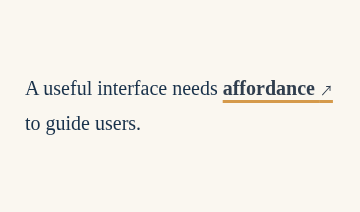
A compact translation appears between text lines when a technical term receives focus.
A compact translation appears between text lines when a technical term receives focus.
Live Demo
Hover over the element or use Tab to focus.
Source Code
Copy the HTML, CSS or JavaScript you need for your project.
HTML
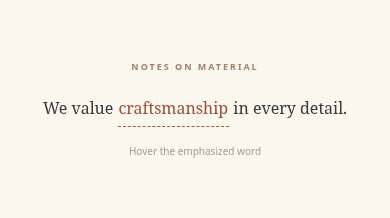
<div class="tbx-1267"><p class="overline">NOTES ON MATERIAL</p><p class="phrase">We value <button type="button" class="term" aria-describedby="tbx-1267-note">craftsmanship<span id="tbx-1267-note" class="translation" role="note">Craftsmanship and attention to detail</span></button> in every detail.</p><p class="foot">Hover the emphasized word</p></div>CSS
.tbx-1267{box-sizing:border-box;min-height:218px;width:100%;padding:35px 24px;background:#faf7ef;color:#3b3936;font-family:Georgia,'Noto Serif',serif;display:flex;flex-direction:column;justify-content:center;align-items:center;text-align:center}
.tbx-1267 *{box-sizing:border-box}.tbx-1267 .overline{font:700 9px system-ui;letter-spacing:.22em;color:#9e826b;margin:0 0 17px}
.tbx-1267 .phrase{font-size:clamp(16px,2.4vw,21px);line-height:2.25;margin:0;max-width:370px}.tbx-1267 .term{font:inherit;position:relative;border:0;border-bottom:1px dashed #a9573f;cursor:help;background:none;color:#9b4f39;padding:0 1px}
.tbx-1267 .translation{position:absolute;left:50%;top:calc(100% + 7px);transform:translate(-50%,-7px);white-space:nowrap;opacity:0;pointer-events:none;padding:5px 9px;border-radius:2px;background:#9b4f39;color:white;font:500 10px system-ui;transition:transform .28s,opacity .28s;z-index:1}
.tbx-1267 .term:is(:hover,:focus-visible) .translation{opacity:1;transform:translate(-50%,0)}.tbx-1267 .foot{margin:17px 0 0;font:400 10px system-ui;color:#a79c8c}
.tbx-1267 :focus-visible{outline:2px solid #b97850;outline-offset:4px}
@media(max-width:420px){.tbx-1267{padding:32px 12px}.tbx-1267 .phrase{font-size:16px}}
@media(prefers-reduced-motion:reduce){.tbx-1267 *{transition:none!important}}
How to Use
Insert the HTML and add the CSS to your stylesheet. Adjust colors and sizes and avoid class conflicts.
Use Case
Useful for articles and learning websites.
Technical Notes
Keep controls usable on touch devices. Test keyboard focus and reduced-motion preferences.
Mobile: Ensure the interactive content remains accessible without hover on touch devices.
Browser: Uses modern CSS. Check behavior in the browsers you support.
Reduced Motion: Check that prefers-reduced-motion is respected.