Panoramic Photo Shift
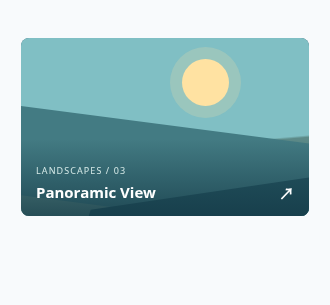
A panoramic photo shifts within its frame to reveal scenery and shooting details.
A panoramic photo shifts within its frame to reveal scenery and shooting details.
Live Demo
Hover over the element or use Tab to focus.
Source Code
Copy the HTML, CSS or JavaScript you need for your project.
HTML
<a class="tbx-1101" href="#gallery" aria-label="View panoramic mountain photograph"><span class="tbx-1101__panorama" aria-hidden="true"><i class="tbx-1101__sun"></i><i class="tbx-1101__hill tbx-1101__hill--back"></i><i class="tbx-1101__hill tbx-1101__hill--front"></i><i class="tbx-1101__ridge"></i></span><span class="tbx-1101__bottom"><small>LANDSCAPES / 03</small><strong>Panoramic View <span aria-hidden="true">↗</span></strong></span></a>
CSS
.tbx-1101{display:block;position:relative;width:min(288px,100%);height:178px;overflow:hidden;color:#fff;text-decoration:none;font-family:system-ui,sans-serif;border-radius:8px;isolation:isolate;background:#346576}
.tbx-1101__panorama{position:absolute;inset:0;width:175%;background:linear-gradient(175deg,#80bfc4 0 55%,#5c8a88 56% 100%);transform:translateX(0);transition:transform .9s cubic-bezier(.19,1,.22,1)}
.tbx-1101__sun{position:absolute;width:47px;height:47px;top:21px;left:32%;border-radius:50%;background:#ffe2a2;box-shadow:0 0 0 12px #ffe2a235}
.tbx-1101__hill{position:absolute;width:130%;height:95px;left:-12%;bottom:-31px;transform:skewX(-25deg) rotate(-9deg)}.tbx-1101__hill--back{background:#437b83;bottom:-17px;transform:skewX(28deg) rotate(8deg)}.tbx-1101__hill--front{background:#265763;left:15%;height:89px}.tbx-1101__ridge{position:absolute;bottom:0;right:3%;width:32%;height:46px;background:#17465b;clip-path:polygon(0 100%,36% 5%,63% 63%,85% 25%,100% 100%)}
.tbx-1101__bottom{position:absolute;bottom:0;left:0;right:0;z-index:1;display:flex;flex-direction:column;gap:5px;padding:25px 15px 13px;background:linear-gradient(transparent,#123643b8)}.tbx-1101__bottom small{font-size:9px;letter-spacing:.12em;color:#d4e8e6}.tbx-1101__bottom strong{display:flex;justify-content:space-between;font-size:15px}.tbx-1101__bottom strong span{transition:transform .35s}
.tbx-1101:is(:hover,:focus-visible) .tbx-1101__panorama{transform:translateX(-32%)}.tbx-1101:is(:hover,:focus-visible) .tbx-1101__bottom strong span{transform:translate(3px,-3px)}.tbx-1101:focus-visible{outline:3px solid #ffe4a1;outline-offset:3px}
@media(prefers-reduced-motion:reduce){.tbx-1101 *{transition:none!important}}
How to Use
Insert the HTML and add the CSS to your stylesheet. Adjust colors and sizes and avoid class conflicts.
Use Case
Useful for image galleries and travel sections.
Technical Notes
Keep controls usable on touch devices. Test keyboard focus and reduced-motion preferences.
Mobile: Ensure the interactive content remains accessible without hover on touch devices.
Browser: Uses modern CSS. Check behavior in the browsers you support.
Reduced Motion: Check that prefers-reduced-motion is respected.